Teleport or Walk: Two Ways to Cross a Virtual Space
Teleport or walk in VR? See how each movement style shapes orientation, pace, and perceived distance so you can choose a comfortable way to explore.
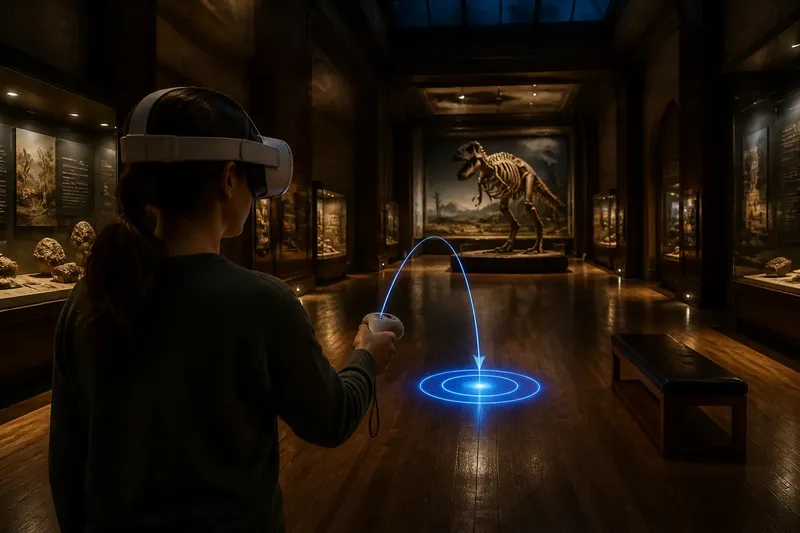
You reach the end of a virtual gallery and want to cross to the sculpture by the far wall. A controller press might place you there at once; a thumbstick might carry you across the floor. Teleport or walk in VR is not just a comfort setting: each choice changes how you read the space, set your pace, and feel its distance.
Two movement languages
Teleport movement usually works through a pointer or arc. You aim at a valid patch of floor, see a marker, and press a button to relocate. Some systems fade the view briefly; others use a quick visual transition. Continuous walking, often called smooth locomotion, moves your viewpoint in the direction you push a stick or touchpad.
Neither method is a neutral window onto the same world. Teleport divides a route into destinations. Walking presents it as a continuous passage, where the floor, nearby objects, and changing view all help explain how one place connects to another.
1. Teleport breaks a route into decisions
With teleport movement, each landing point becomes a small choice. You look for a usable patch of floor, judge the pointer’s reach, and decide where to appear. That pause can make a busy scene easier to inspect, because you can choose a clear vantage point rather than steering past every object.
The trade-off is a thinner sense of the route between places. If you jump from a doorway to a display case, you may know where both are without knowing exactly how far apart they feel. Repeated jumps can make a large virtual room seem compact, especially when intermediate landmarks are easy to skip.
Teleport also changes orientation. A landing may preserve your facing direction, turn you toward the selected point, or offer a separate rotation control. That behavior matters: arriving with the artwork in front of you is different from landing sideways and having to find it again.
2. Walking makes distance continuous
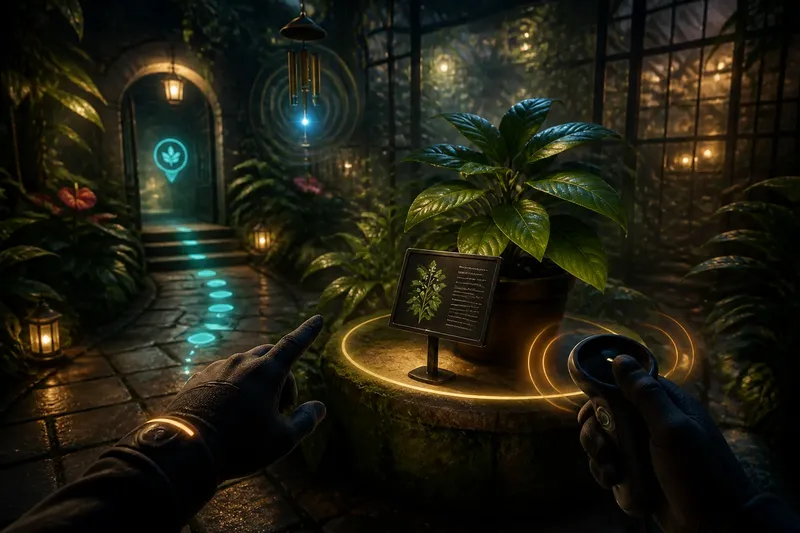
Smooth locomotion lets the environment flow past you. A doorway grows nearer, a bench slides to the side, and the next room opens gradually. Those visual changes provide cues about direction and distance, making the route itself part of the experience rather than a gap between destinations.
That continuity can make a virtual space feel more legible, but it also asks for ongoing control. You must coordinate the direction of movement with what you see, perhaps while turning your head to inspect a wall. If the virtual motion does not match the body’s physical signals, some people feel discomfort; others find it manageable with a slower pace or shorter visits.
Walking can also make distance seem longer. A corridor that would take one teleport may become a deliberate passage, with time to notice doors, sound, and changes in light. That can support exploration, but it may feel like needless travel if the main purpose is to reach a particular exhibit or meeting point.
3. Pace changes what gets noticed
Teleport creates a stop-and-go rhythm. The player surveys a spot, chooses a destination, and arrives ready to look again. Designers can use that rhythm to make viewing points distinct, while visitors can pause without having to keep a thumbstick precisely engaged.
Continuous walking creates a more gradual rhythm. Small shifts in view happen along the way, so an object may catch your attention before you reach it. But movement can compete with looking: steering through a crowded room while reading labels is a different task from standing still and examining one piece.
Imagine a visitor entering a virtual natural history hall with a fossil near the back. If she teleports directly to the display, she can begin examining its details quickly, but may miss the row of cases that gives the hall its scale. If she walks down the aisle, those cases establish a route and a sense of distance, though she spends more attention guiding herself there. The visible difference is not simply speed; it is which parts of the hall become part of the visit.
4. Orientation depends on landmarks
Walking offers continuous visual references: a doorway stays behind you, a bright window remains to one side, and a railing traces the path. These cues can help build a mental map, provided the space has recognizable features and the user can turn without losing track of the route.
Teleport makes landmark choice more deliberate. A good landing spot near a distinctive pillar or doorway can clarify where you are. A series of landings in visually similar corners can do the opposite, leaving you uncertain about which direction leads back.
Turning deserves attention in either mode. Some experiences let you rotate physically within a safe play area; others provide smooth or snap turning through the controller. A teleport destination may reorient you automatically, while walking usually leaves more of that choice to the player. The useful question is whether you arrive facing a meaningful feature, not whether one turning style is universally better.
5. Match movement to the task
Teleport often suits experiences built around separate viewing stations, quick repositioning, or careful selection of where to stand. Continuous walking can suit a route meant to be followed, a landscape whose scale matters, or an activity where motion is part of the scene. Many applications offer both, and some combine them so visitors can walk nearby and teleport across longer gaps.
Try choosing by the job in front of you:
- Close inspection: Teleport to a stable viewing position, then remain still while examining details.
- Route learning: Walk through the main path and use doors, signs, or distinctive objects as landmarks.
- Long crossings: Use teleport if the journey itself adds little; walk if the changing view is part of the experience.
- Uncertain comfort: Begin with the movement option that feels easier to control, and change it if discomfort appears.
- Shared exploration: Check whether companions can see your destination marker or follow your route, since movement cues affect how easily a group stays together.
Say you are exploring a virtual art studio with several rooms and a narrow central corridor. You could walk through the corridor once to learn how the rooms connect, then teleport between canvases when you want to compare them. You would retain a sense of the studio’s layout without making every return trip part of the activity.
Movement questions?
Does teleportation make a virtual room feel smaller?
It can, because the space between landing points receives less attention. Distinct landmarks and occasional walking can preserve a clearer sense of how rooms connect.
Does walking always feel more realistic?
Not necessarily. Walking supplies continuous visual motion, but the mismatch between virtual movement and physical sensation can feel uncomfortable for some people. A movement style that feels natural depends on the person and the experience.
Can you combine teleport and walking?
Yes, if the application provides both controls. Walking for nearby movement and teleporting across open areas can keep local exploration continuous while avoiding long stretches of steering.
Which option is better for orientation?
Walking gives ongoing visual cues, while teleport lets you choose a landing near a useful landmark. Either can support orientation when destinations and routes are easy to recognize.
Choose the useful distance
Teleport or walk in VR is best treated as a decision about what distance should mean in a particular experience. If the route carries information, continuous movement can make it visible; if the destination matters more, teleport can keep attention there. Try each option in a familiar, low-pressure space and notice not only how quickly you arrive, but what you remember about the way there.
It is not worth forcing a single movement style into every scene. A quiet gallery, a winding landscape, and a room used for conversation ask for different rhythms. The strongest choice is the one that helps you stay oriented and attend to what you came to see.