A First Visit to a Virtual Gallery
A first visit to a virtual gallery feels calmer when you choose one artwork, follow clear room cues, and pause before visual details compete for attention.
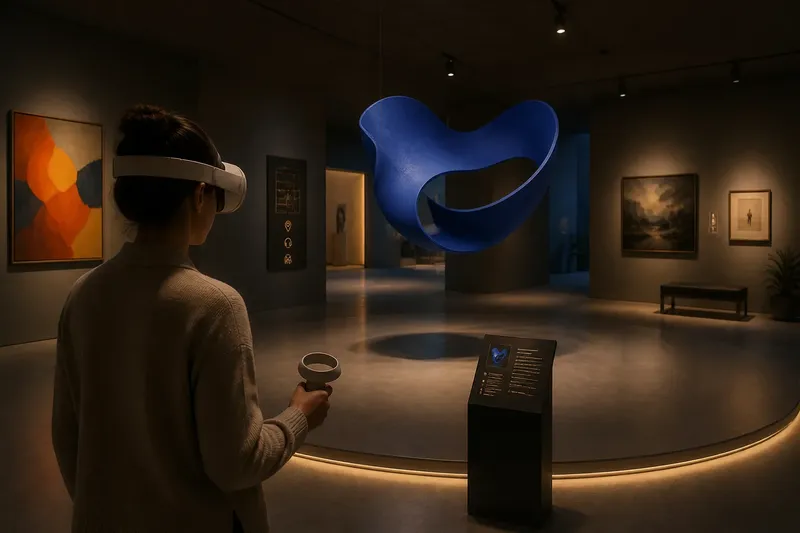
You put on a headset, arrive in a quiet virtual gallery, and spot a painting across the room, a label near the entrance, and a glowing menu. A first visit to a virtual gallery can feel busy before you have looked closely at anything. Start with one work, use the room to orient yourself, and pause when your attention needs space.
Begin with one work
Choosing a single work gives your visit an anchor. The room may offer sculpture, paintings, sound, text, or interactive objects at once; you do not have to sample every feature. Pick the piece that first draws your eye, or choose one that is easy to reach and clearly identified.
Set a small intention rather than a quota. You might want to notice how a work changes as you move around it, read its label, or listen for a sound that seems to belong to the space. One question can guide your attention without turning the visit into an assignment.
Imagine you enter a gallery with a suspended blue shape and several framed images. You choose the blue shape, read its nearby label, then move around it to see whether its outline shifts from different angles. Now you have a point of focus and a reason for each movement, even if you leave the other pieces for another visit.
Read the room’s cues
Virtual galleries communicate through more than labels. A lighting change may draw attention to a work; a different floor texture may mark a new area; a small icon may signal that an object responds to a controller. Treat these features as clues, not demands. If a cue is unclear, pause and look for a nearby label or visible prompt before interacting.
Notice where the gallery places information. A title might float beside an artwork, appear on a wall, or open after you point at a marker. Some spaces include a simple map or entrance panel that explains controls. These details help you decide where to stand and what the space expects, while the work remains your main focus.
Pay attention to sound, too. A soft tone might accompany a selection, while music or recorded voices may belong to an installation. If sounds compete, move away from the source or lower the headset volume using its ordinary controls. Not every sound is a prompt; sometimes it is part of the artwork’s atmosphere.
When attention slips
What if there is too much to see?
Look away from the menu and choose the nearest clearly labeled work. Read its title and short description first, then decide whether to stay or move on. Skipping optional rooms and hidden interactions can keep a first visit manageable.
What if the controls feel unclear?
Stop moving and check for a control hint, entrance panel, or on-screen prompt. Try only the selection action the gallery identifies, such as pointing and pressing the indicated button; if the response remains confusing, leave that feature alone and continue looking. Controls differ across headsets and gallery software, so consult the device and app instructions when needed.
What if the label is hard to read?
Move closer if the space allows, or turn until the text faces you directly. Some galleries offer a larger-text setting or let you open a label in a panel; check the accessibility settings or menu rather than straining. If the text remains unavailable, you can still experience the work through its shape, color, scale, sound, or placement.
What if the visit starts to feel tiring?
Pause interaction, look toward a quiet part of the room, and remove the headset when you need a break. Resume only if you feel comfortable, and consider ending the visit rather than pushing through. A short, settled visit is more useful than trying to see everything while your attention fades.
Reset attention gently
Attention can wander even in a calm gallery. You may find yourself circling the same object, rereading a label, or following prompts without remembering what you wanted to see. That is a cue to pause and choose a fresh focus, not a sign that you have used the space incorrectly.
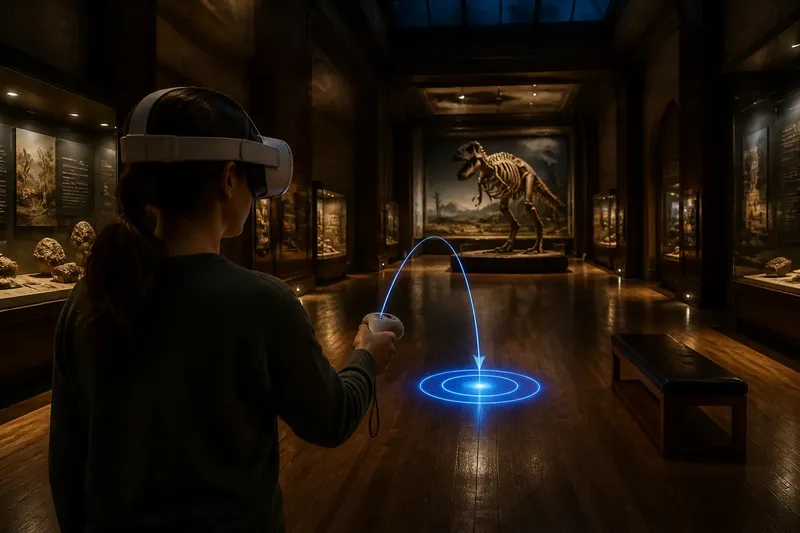
Stop walking or teleporting and let your hands rest. Look toward a quiet wall or the gallery floor; remove the headset if you want to rest your eyes or reorient yourself in the physical room. When you return, decide whether to revisit the same work, read its label, or end the session.
Keep your physical surroundings in mind. A clear standing or seated area makes it easier to pause without worrying about nearby furniture, pets, or other people. Follow the headset’s boundary and comfort prompts, and stop if you feel unwell. For recurring discomfort or questions about safe use, seek advice from a qualified professional.
Choose what to skip
Not every gallery feature deserves your attention. Collectible tokens, hidden buttons, animated transitions, and optional audio can be enjoyable, but they may distract from the work you chose. If a feature does not help you notice, understand, or enjoy that piece, leave it for another time.
It is not worth trying to read every label or visit every room on a first pass. A gallery is not a route you must complete. Use the app’s exit prompt, return to the entrance, or remove the headset according to its instructions.
If you want more structure, keep a simple sequence in mind: choose one work, notice one room cue, pause, then decide whether to continue. This is not a scorecard; it helps shape the visit around your interest instead of every menu and marker in view.
Leave with one detail
Before you exit, recall one thing you noticed: a shadow beneath a sculpture, the way a label appeared, a sound that changed near a doorway, or the view from the side of a painting. That detail gives the visit a clear ending without asking you to remember the whole room. If you plan to return, note the work’s name or save it with the gallery’s own tools.
A first visit to a virtual gallery works best as a choice, not a tour of everything available. Pick one work, let the room’s cues help you orient yourself, and pause when your attention asks for a reset. You can return with a different focus and begin next time with a detail you missed today.